XFile - File manager for Unix/X11
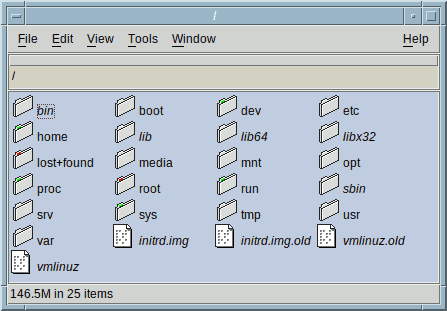
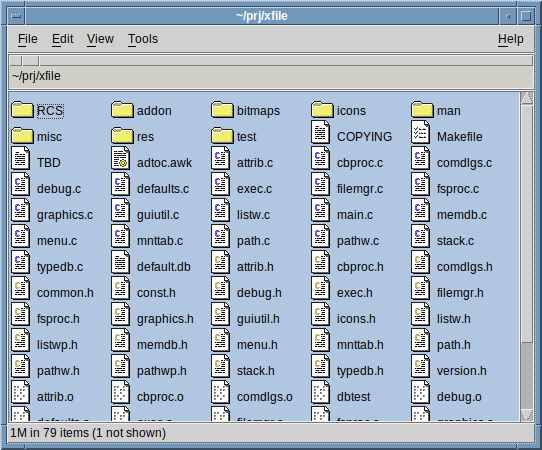
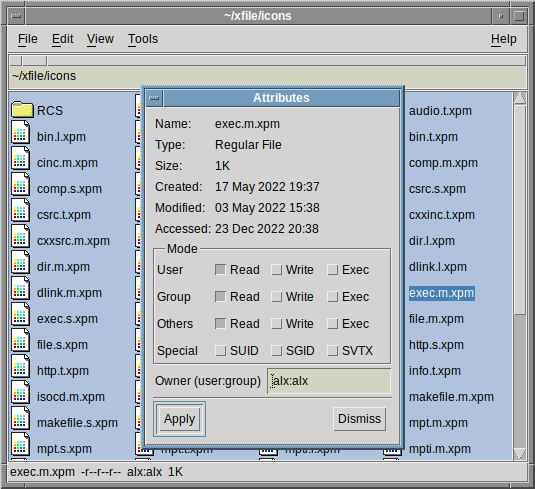
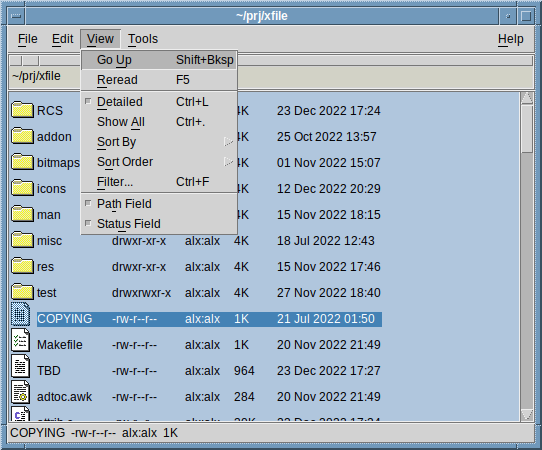
XFile is a compact file manager for Unix and alike systems running X11. It presents the file system as is, without imaginary locations, trashcans etc. XFile uses its own file type association database written in typical Unix/RC file syntax. The user interface is easily configurable and customizable with X resources. Mounting support for file systems defined in fstab, and integration with mount daemons that manage a dedicated media directory is also included.
The application is written in C, and has no dependencies, save for X and Motif. It is built using simple Makefiles. The source code is freely available under the terms of the X/MIT license.
Downloads
 Latest release:
xfile-src-1.2.1.tar.xz
(Aug 08 2026).
Latest release:
xfile-src-1.2.1.tar.xz
(Aug 08 2026).
Maintenace release, mainly bugfixes and some minor enhancements.
Pasting with the mouse button 2 can now be set up for the file list widget
(see here).
See the included README file for build instructions. On Linuxen, make sure to review and adjust the installation prefix and X resources (app-defaults) location, since defaults may not be suitable for all distros. The application is usually tested on FreeBSD and a GNU/Linux. If you have a question that isn't answered in the FAQ and manpage, feel free to contact me (Alex): mail@fastestcode.org
 You can support maintenance and further development
by making a donation.
You can support maintenance and further development
by making a donation.
Documentation and Addons
 XFile FAQ/Guide contains hints
on configuring XFile as well as defining custom file types and handlers.
See also Motif/EMWM FAQ
on Motif based applications in general.
XFile FAQ/Guide contains hints
on configuring XFile as well as defining custom file types and handlers.
See also Motif/EMWM FAQ
on Motif based applications in general.
xfile-addon.tar.xz
(Updated Aug 06 2026)
Since XFile ships with a very basic file type database, additional (mostly
application specific) icons and file type definitions are provided in this
tarball. To install, simply untar contents into ~/.xfile/. Read the README
file inside the tarball for details.
xfile-xdgsvc-src.tar.xz
(Updated Dec 26 2024)
A shim that allows xfile to act as xdg/freedesktop default file manager
and be launched over dbus (such interface is used by some GTK programs,
notably firefox and gimp). See the README file included.
xfind-src.tar.xz
(Updated Aug 04 2026)
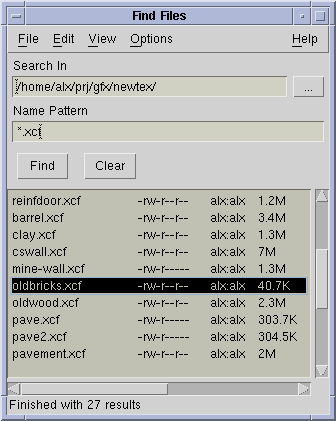
An extremely simple, graphical file search utility (see
screenshot) that interfaces with XFile.
See the README file included, for installation instructions.
xfile-slanted-icons.tar.xz
(Updated Dec 26 2024)
Alternate (indigo magic inspired) set of directory
icons for xfile (to install, just copy *.xpm files into ~/.xfile/icons)
Screenshots
Click for a larger picture.
Repositories
Git repositories (push only) are available on SourceForge and Github.